Features
Style preview
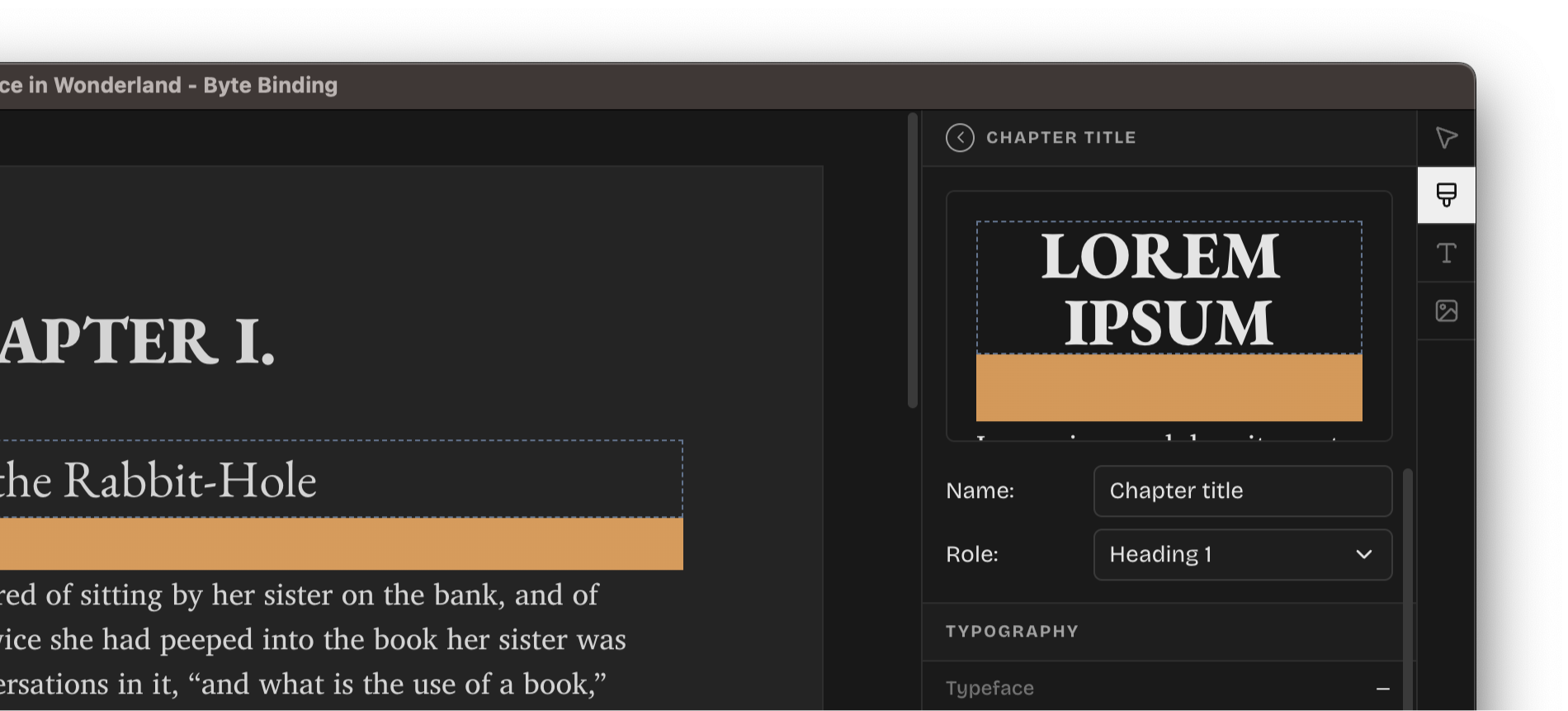
Edit your styles with full preview of the changes. Byte Binding now displays contextual preview scenarios for texts, headings, drop caps, and images so you see what your style will look like before committing to changes.
Drop caps
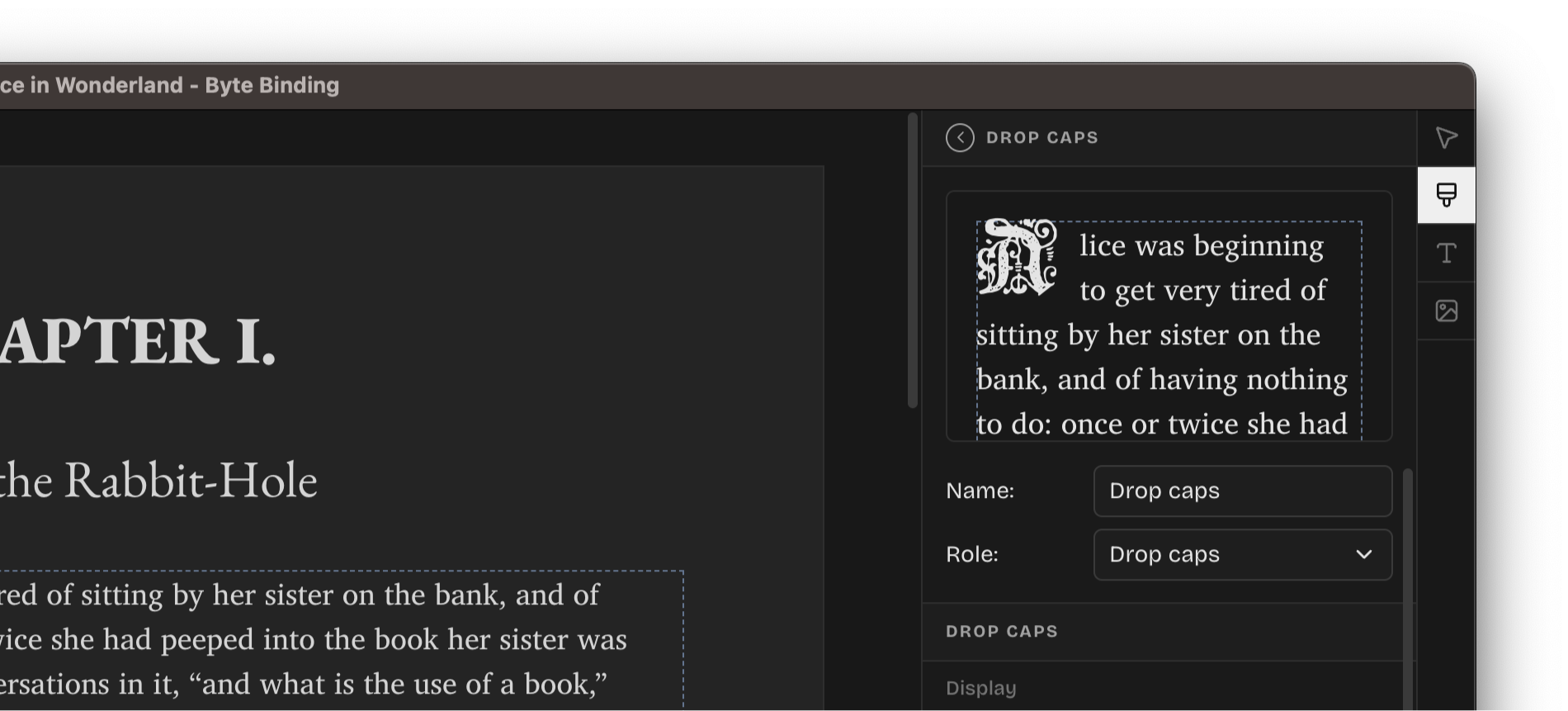
We are adding a new "Drop caps" style so you could describe magnificent drop caps designs to blow your readers away. Control the typeface, size, line height, and spacing, as well as choose whether the drop caps should apply to the first or multiple letter, words, or sentences. All with the uncompromising consistency of the reused styles.
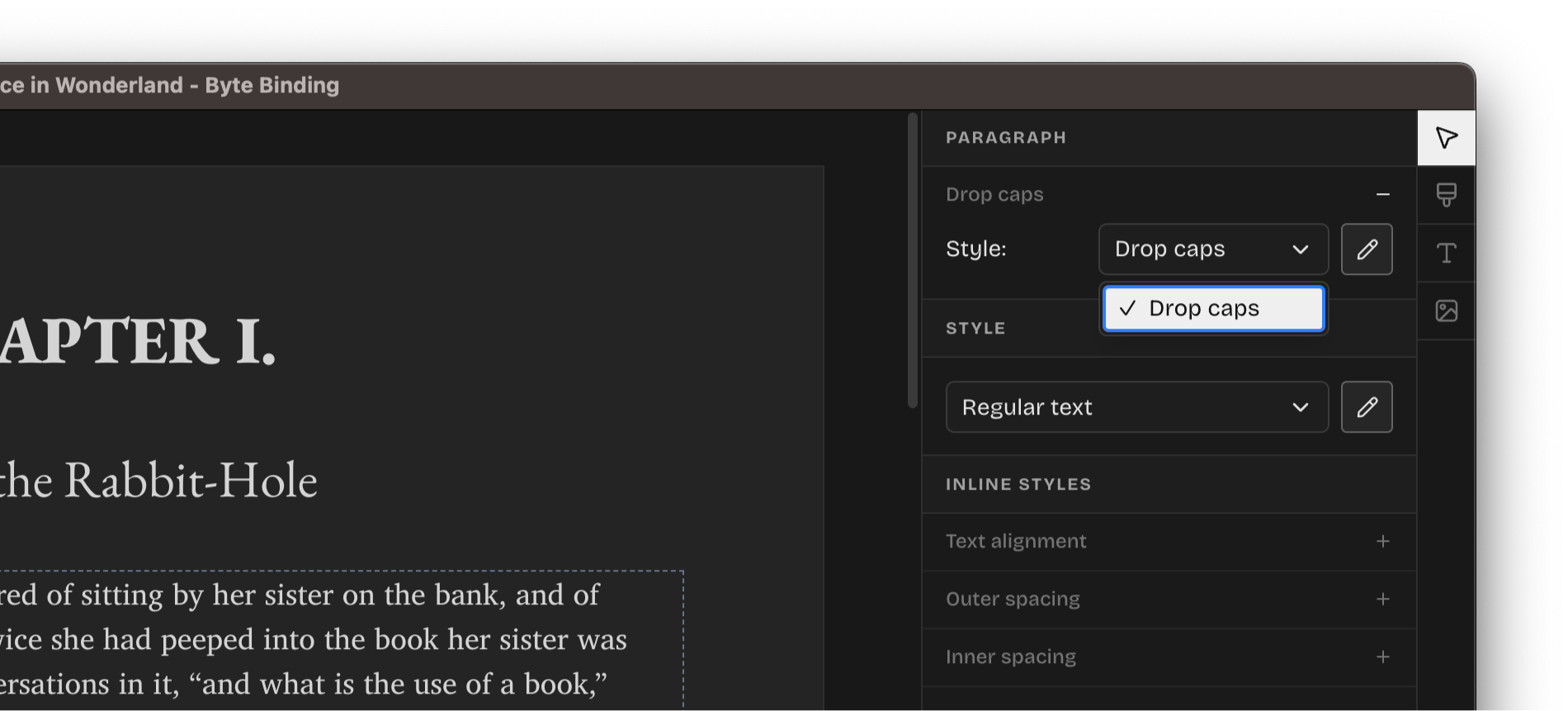
Add drop caps to any paragraph on the page by enabling "Drop caps" from the Element panel and choosing the drop caps style to apply:
Improvements
- Improved DOCX parsing.
- Section breaks can now be insrted via the system menu (Insert > Section Break).
- Add context menu to the projects in the Recent Projects.
- Prevent corrupting the EPUB destination if exporting fails.
- Images can now be drag-and-dropped directly onto the editor.
- Support sorting styles.
- Faster application load time.
Fixes
- Respect the style's
roleupon export. - Fix an issue that broke the undo/redo functionality.
- Small tweaks and adjustment to the application's UI.