Features
Preflight
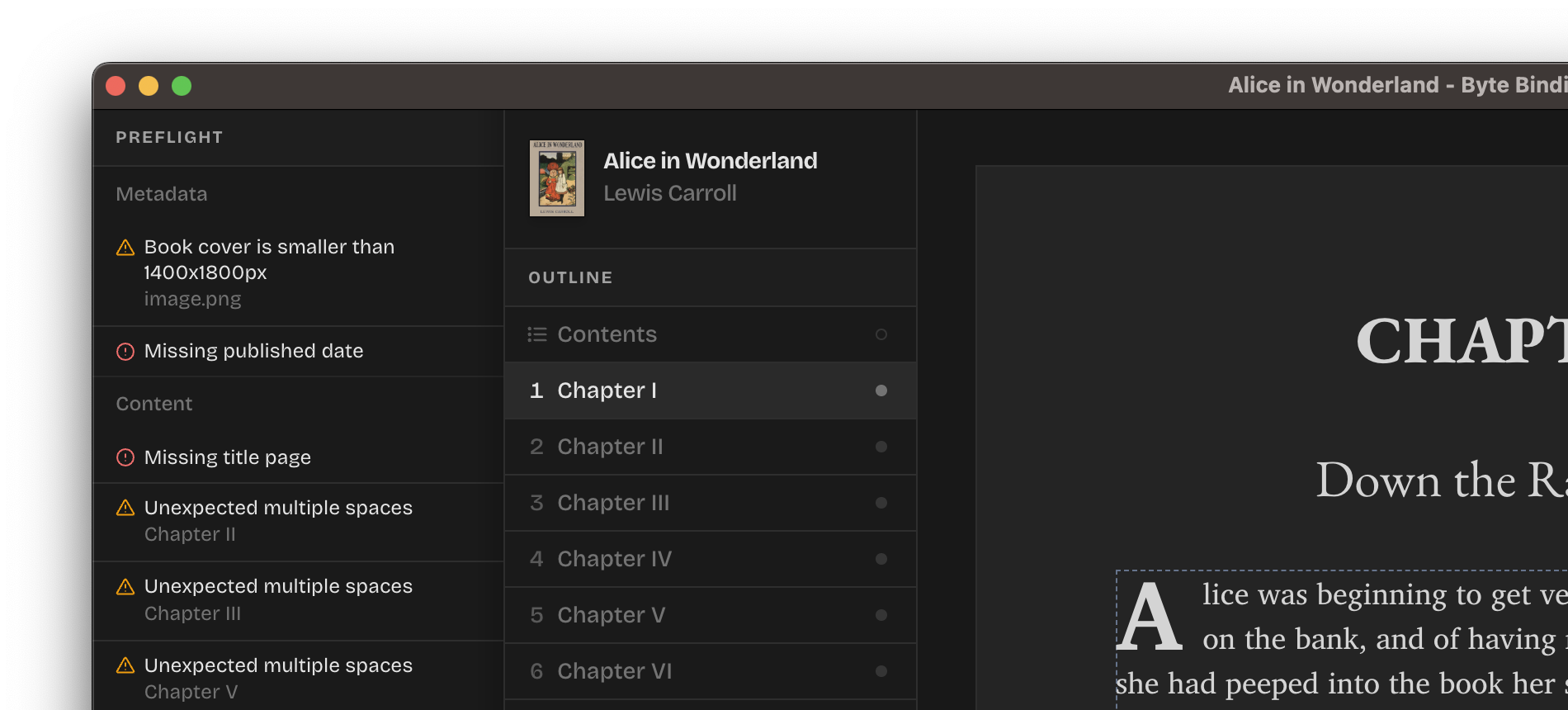
Preflight validates your entire book, from its metadata and cover to every line of content and used assets, to ensure quality exported EPUB. This helps you spot mistakes before your storefront tells you about them.
Here's a couple of examples of what Preflight uncovers:
- Missing book metadata (title, publisher, author's first and last names);
- Missing essential sections, like "Title page" and "Table of contents";
- Unexpected content on the page, such as multiple spaces or blank lines;
- Image assets missing alternative text.
Everything Preflight reports is categorized into errors you shouldn't ignore and warnings that you should double-check. You can export your books regardless of the Preflight results, but we highly recommend you resolve its findings for the best export.
Chapter breaks
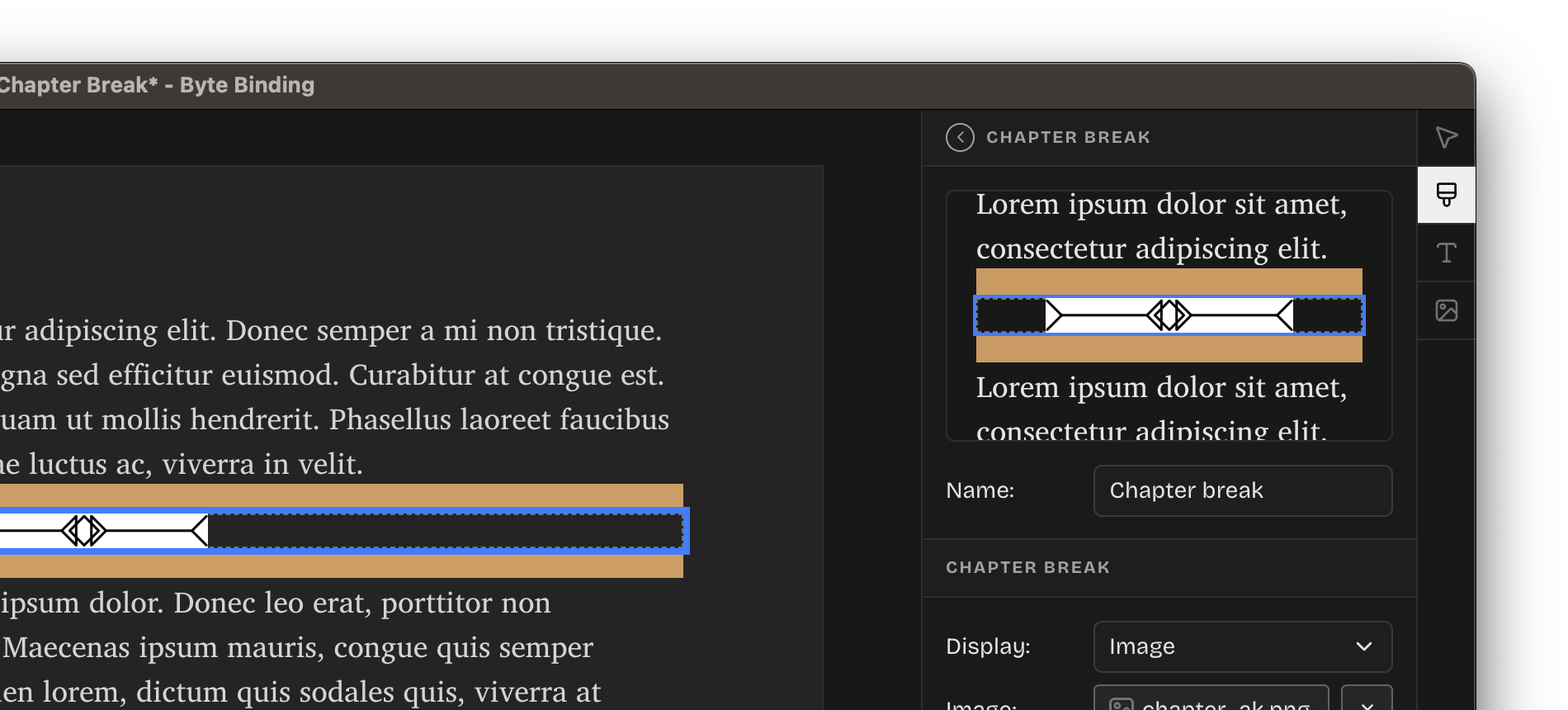
Byte Binding now correctly detects chapter breaks in your manuscripts and allows you to customize their appearance. Use the new "Chapter break" styles to customize how your chapter breaks look across the entire book. You can have as many chapter break styles as you want, featuring text and image display variants, custom scaling, alignment, and spacing.
You can insert a chapter break anywhere on the page via the system menu (Insert > Chapter Break) or by simply typing * * * and pressing Enter.
Section types
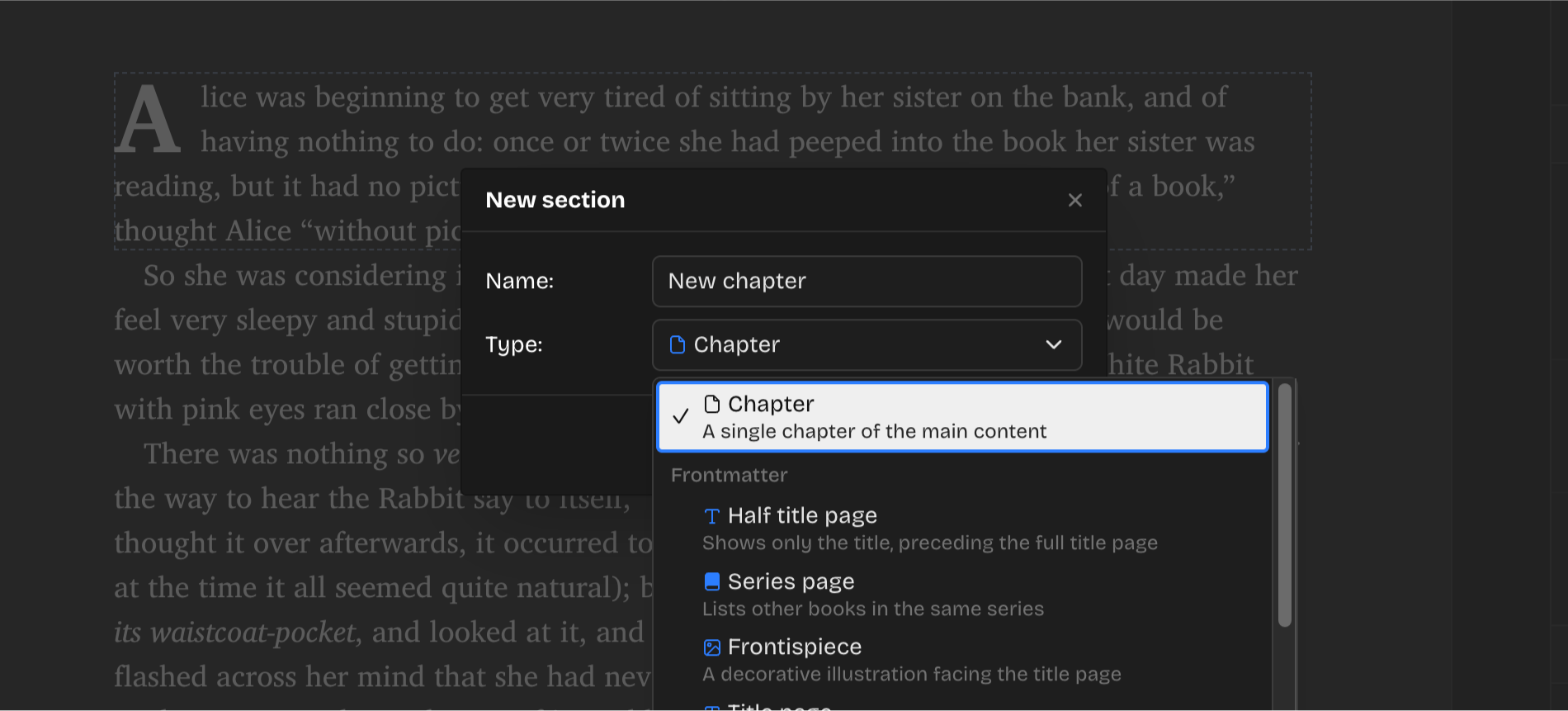
When creating new sections in the outline, you can now choose between the Section types so e-reader devices know what that section represents (e.g. a Title page, a Dedication). Change the section type any time by right-clicking on the section and choosing "Edit" from the context menu.
Improvements
- List all system fonts when working with styles.
- Support editing section types (e.g. "chapter", "title-page", etc).
- Move the Drop Caps size and unit fields to the style for better consistency.
- Better inference of section types from the imported DOCX.
- Faster initial application load time and faster project opening.
- Toast notifications are not less visually distracting.
- Image asset "References" now list any styles referencing that image.
Fixes
- Windows: Include white border for the application icon for better contrast with the desktop wallpaper.
- Deduplicate image assets in the exported EPUB.
- Improve EPUB 3.0 compliance of the exported EPUB.
- Image scaling is now a percantage of the image's dimensions, not the parent dimensions.
- Emitted image assets are now correctly scaled and stamped with their variant names.
- Proper focus management for custom selects in the UI.