Features
Search
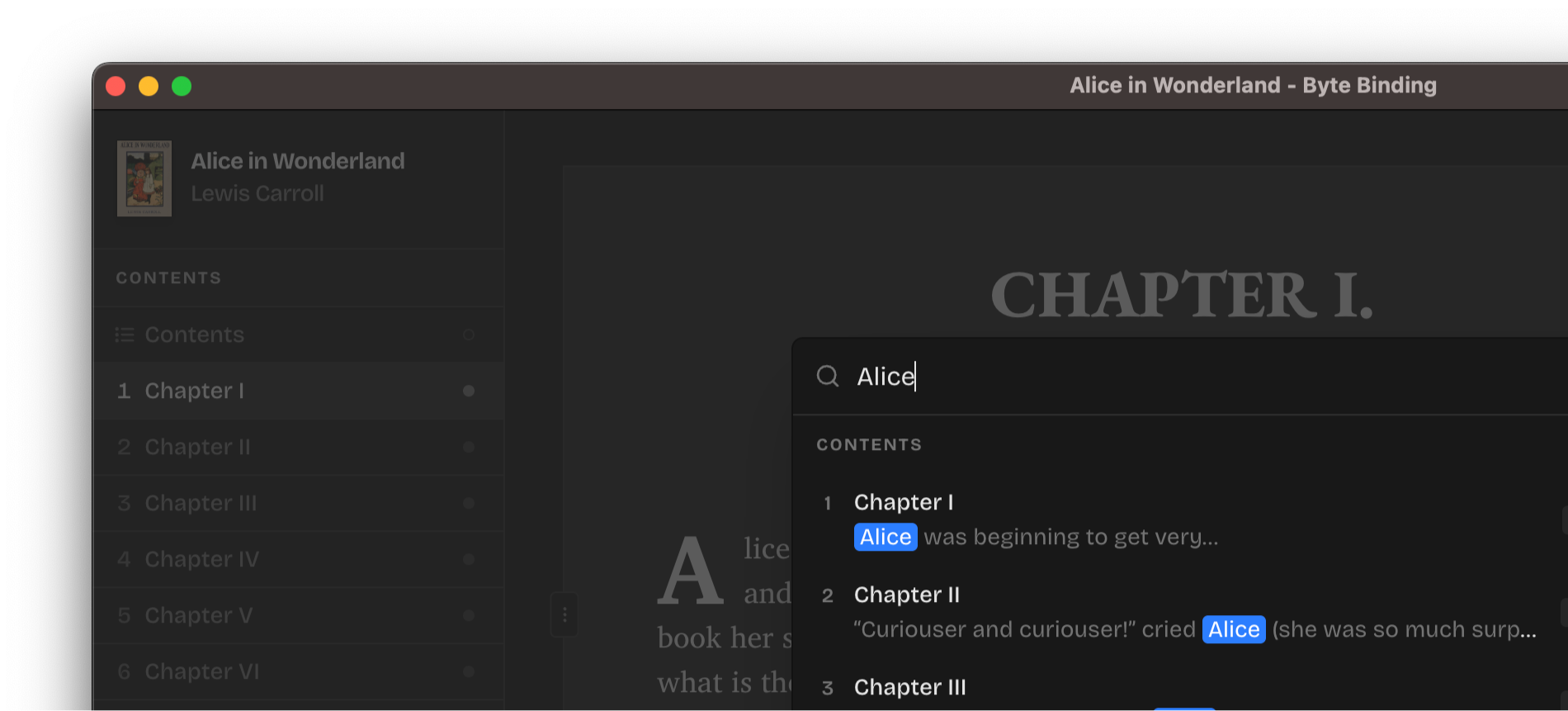
Search through your book's contents, styles, and assets with the new global search panel (⌘+F on macOS, Ctrl+F on Windows/Linux). It's blazing-fast and groups results by kind and sections for easier navigation.
Navigator
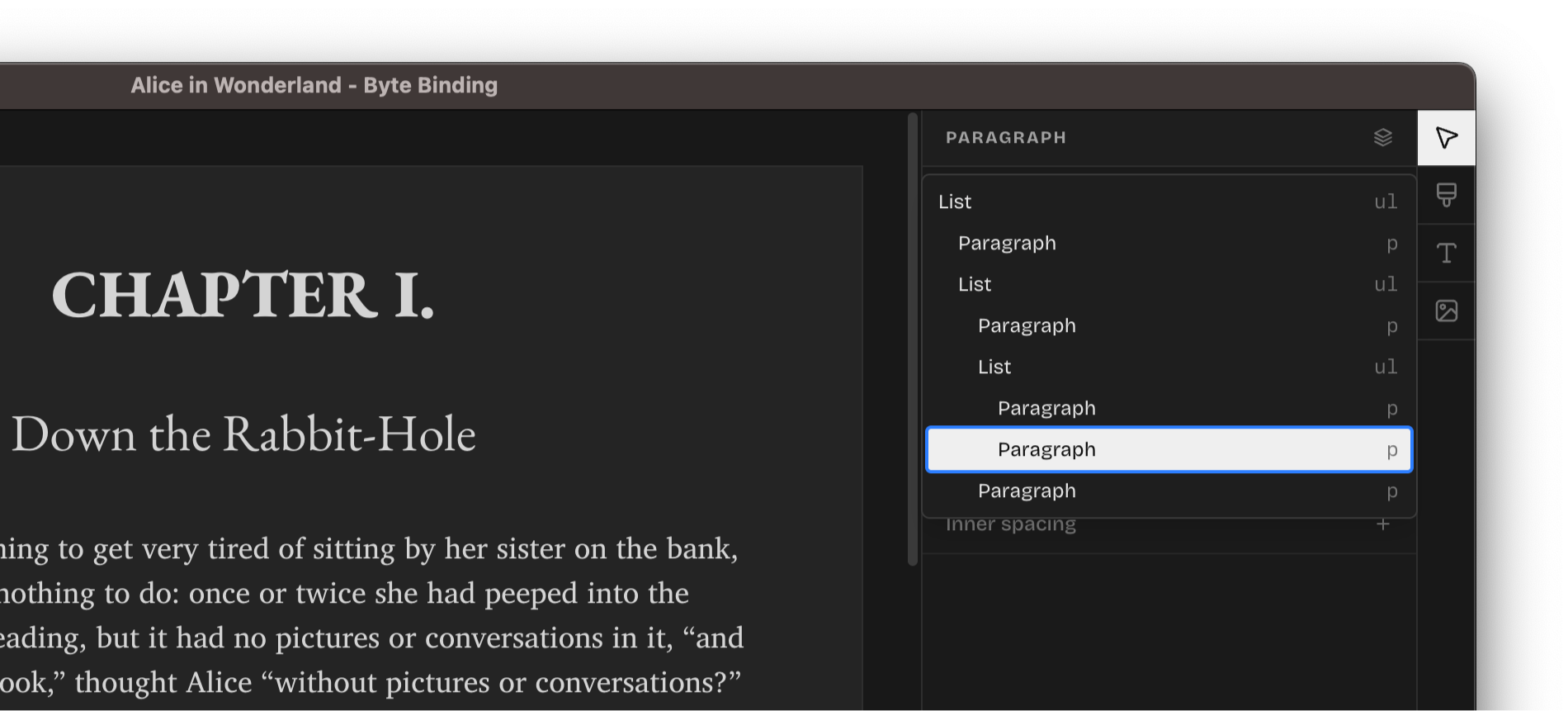
Use the Navigator to see the full element structure of your current selection and switch between elements for surgically precise styling.
Project recovery
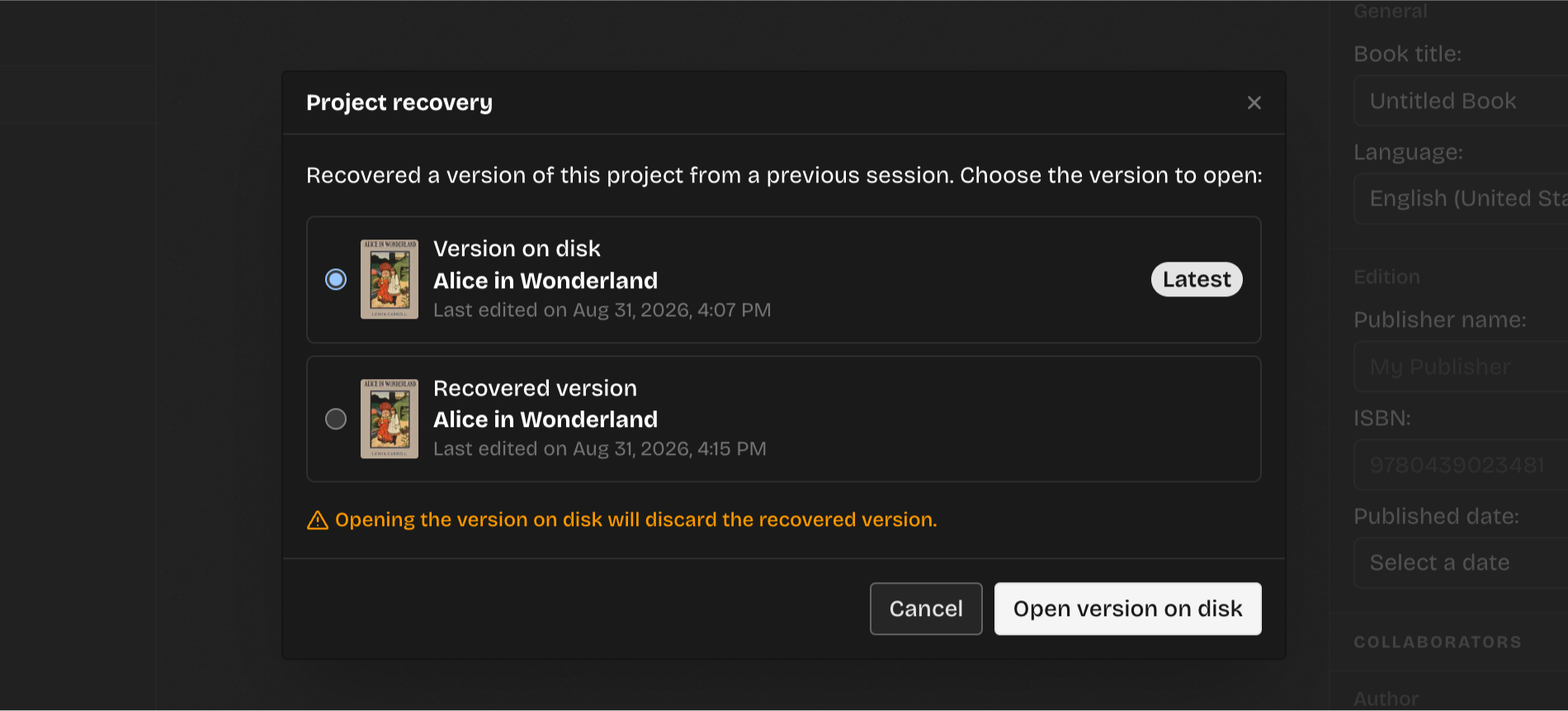
Content loss is unacceptable. The application now automatically and periodically snapshots your changes to prevent content loss on crashes. Upon opening the projects that crashed mid-session, you are now presented with the option to restore the unsaved state or continue with the last saved version on the disk.
Improvements
- Support Apple Intel computers.
- Support lists and blockquotes.
- Various UI elements now have context menus to perform actions quicker.
- The "Outline" panel has been renamed to "Contents" for clarity.
- Made the caret blue to increase contrast and find it faster while editing.
- Re-arranged element panels, like "Text alignment", for a more convenient element styling.
- Exported EPUBs can now be opened directly from the export confirmation toast.
- The empty "Contents" section now features two primary keyboard shortcuts to start with adding content to the project.
- Unused styles are not excluded by default in the DOCX import dialog to keep your projects lean.
- The book metadata and contents can now be navigated via the system menu.
- The element tree in the editor can now be traversed via the system menu.
- Redesigned the "Recent projects" dialog to streamline possible actions, add search, and have multiple view modes for the projects list.
Fixes
- Inline paragraph justification (
w:jcinw:pPr) is now correctly parsed from Word documents. - Inline paragraph spacing (
w:spacing) is now correctly parsed as well. - Windows/Linux: The system menu now correctly updates based on the editor's state.
- Windows/Linux: Added visual separator between the system menu and the editor.
- Fixed an issue that prevented pages and styles from being toggled in the DOCX import dialog.
- Properly display all caps and small caps on text elements.